
The Best AI Transcription Apps for Meetings Reviewed
The challenge of balancing participation and note-taking during professional meetings has driven the rapid development of AI transcription solutions. These applications leverage voice-to-text artificial intelligence to automatically capture spoken conversations and convert them into accurate, searchable written records. This technology frees attendees to focus entirely on the discussion, ensuring no critical details, decisions, or action items are lost. The market currently offers several specialized tools, each optimized for different user needs, from robust enterprise collaboration to simple, real-time captioning.
Fireflies.ai
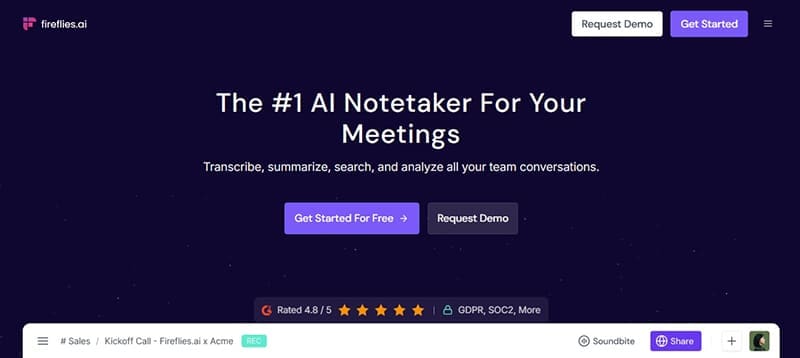
Best for: Full-featured meeting transcription, robust team collaboration, and CRM synchronization.
Pricing:
- Free: 800 minutes of storage, basic transcription tools.
- Pro: $10/month/user — unlimited transcription, automatic meeting joining, AI summaries.
- Business: $19/month/user — team workspaces, integration with CRM/project management systems.
- Enterprise: $39/month/user — advanced admin controls, Single Sign-On (SSO), API access.
Key Features:
Fireflies.ai integrates seamlessly, joining meetings automatically via calendar syncing or manual upload. It provides accurate transcription with speaker identification and stores records in an easily navigable format. Key features include automatic summaries, keyword extraction, action item identification, and compatibility with popular platforms like Slack, Notion, and Salesforce.
Pros:
- Effortless setup via calendar syncing.
- Comprehensive collaboration functionalities.
- Searchable and highly readable transcripts.
Cons:
- Transcription features are limited on the free plan.
- The extensive feature set may involve a slight learning curve for initial users.
Otter.ai

Best for: Live transcription, real-time note-taking, and efficient organization of notes.
Pricing:
- Free: 300 minutes per month, basic features.
- Pro: $16.99/month — 1,200 minutes per month, live note generation.
- Business: $30/month/user — team access and expanded integrations.
Key Features:
Otter.ai excels at providing immediate, live transcription during meetings. It integrates with virtual platforms like Zoom to automatically join and instantly share notes with participants. Users can edit transcripts, add highlights, and organize records in shared folders for easy team accessibility. This makes it particularly valuable for live educational settings or quick team updates.
Pros:
- Highly accurate real-time transcription capability.
- Ideal for live lectures or classroom environments.
- Simple note sharing among teammates.
Cons:
- Business plan costs can escalate quickly for larger organizations.
- Offers fewer third-party integrations compared to Fireflies.ai.
MeetGeek

Best for: Generating actionable summaries, tracking key meeting metrics, and detailed follow-ups.
Pricing:
- Free: 5 meetings per month.
- Pro: $15/month — unlimited meetings, advanced AI summaries.
- Business: $29/month/user — custom branding options, dedicated priority support.
Key Features:
MeetGeek records meetings and uses AI to generate concise summaries focused on key decisions and highlights. It automatically tags important discussion topics and monitors engagement metrics, such as talk time per participant. This feature set makes it excellent for teams focused on measuring meeting effectiveness. It integrates with all major platforms, including Zoom, Google Meet, and Microsoft Teams.
Pros:
- Excellent tool for automated recaps and meeting highlights.
- Provides detailed analytics on participant talk time.
- Includes innovative emotion tracking capabilities.
Cons:
- Less optimized for very large, high-volume teams.
- The user interface may appear cluttered to some users.
Scribbl

Best for: Straightforward, low-hassle transcription exclusively on Google Meet.
Pricing:
- Free: Unlimited meeting transcription.
- Pro: $9/month — improved formatting and download options for transcripts.
Key Features:
Scribbl operates as a simple Chrome extension, capturing transcripts directly from Google Meet. It automatically saves and formats the spoken text. Its paid tier allows for cleaner organization and file downloading. It requires neither calendar access nor a separate user account setup, making it ideal for individuals or small teams prioritizing simplicity over complex features.
Pros:
- Exceptional ease of use with minimal technical setup.
- Highly affordable pricing structure.
- No separate account required for use.
Cons:
- Functionality is strictly limited to Google Meet.
- Lacks advanced features like AI summaries or detailed analytics.
Conclusion: Selecting the Right Tool
While all four applications capably handle basic recording and transcription, the ideal choice hinges on specific user requirements. Fireflies.ai offers the best overall value for professional teams, providing strong collaboration features, reliable automation, and competitive pricing. Otter.ai is superior for users needing high-accuracy, real-time live captions, such as students or webinar hosts. MeetGeek is the specialized choice for organizations that require actionable insights and measurable metrics from their meeting data. Scribbl serves as the optimal low-cost, low-complexity solution for quick notes, provided the user relies solely on Google Meet.
Frequently Asked Questions (FAQ)
How accurate are AI meeting transcriptions?
AI transcription accuracy typically ranges from 85% to 95%, depending on audio quality, speaker accents, and background noise. Dedicated meeting transcription apps like Fireflies.ai and Otter.ai use advanced AI models, often resulting in higher accuracy closer to the 90-95% range, especially when speaker identification is clear.
Can these apps transcribe non-English languages?
Yes, most leading AI transcription apps, including Fireflies.ai and Otter.ai, support multiple languages. However, the exact number of supported languages and the transcription accuracy may vary between platforms. Users should check the specific app's documentation for the languages they need.
Do I need to be present in the meeting for the app to record and transcribe?
For most featured apps like Fireflies.ai and Otter.ai, the AI assistant can be configured to join the meeting automatically via calendar sync, even if the primary user is absent. The bot records and transcribes the conversation, allowing the user to review the full notes later.
Posting Komentar untuk "The Best AI Transcription Apps for Meetings Reviewed"